Shutting Down the OARBots
It is important to follow this order when powering down up the OARBots. Failure to follow this order may result in software or hardware damage to devices.
Covering the ArUco Tags
Put the covers back on the ArUco tags (if they were uncovered), making sure to match the tag on the cover to the tag on the OARBot.
Turning off the Tablet, Overhead NUC, and Helper Laptops
You can turn off these devices in any order. To turn each device off, open the power menu from the top right corner of the screen and selecting Shut Down, or type sudo poweroff into a terminal.
If the external power brick is connected to the helper laptop, remove it to help preserve the battery.
Turning off the Kinova Arm
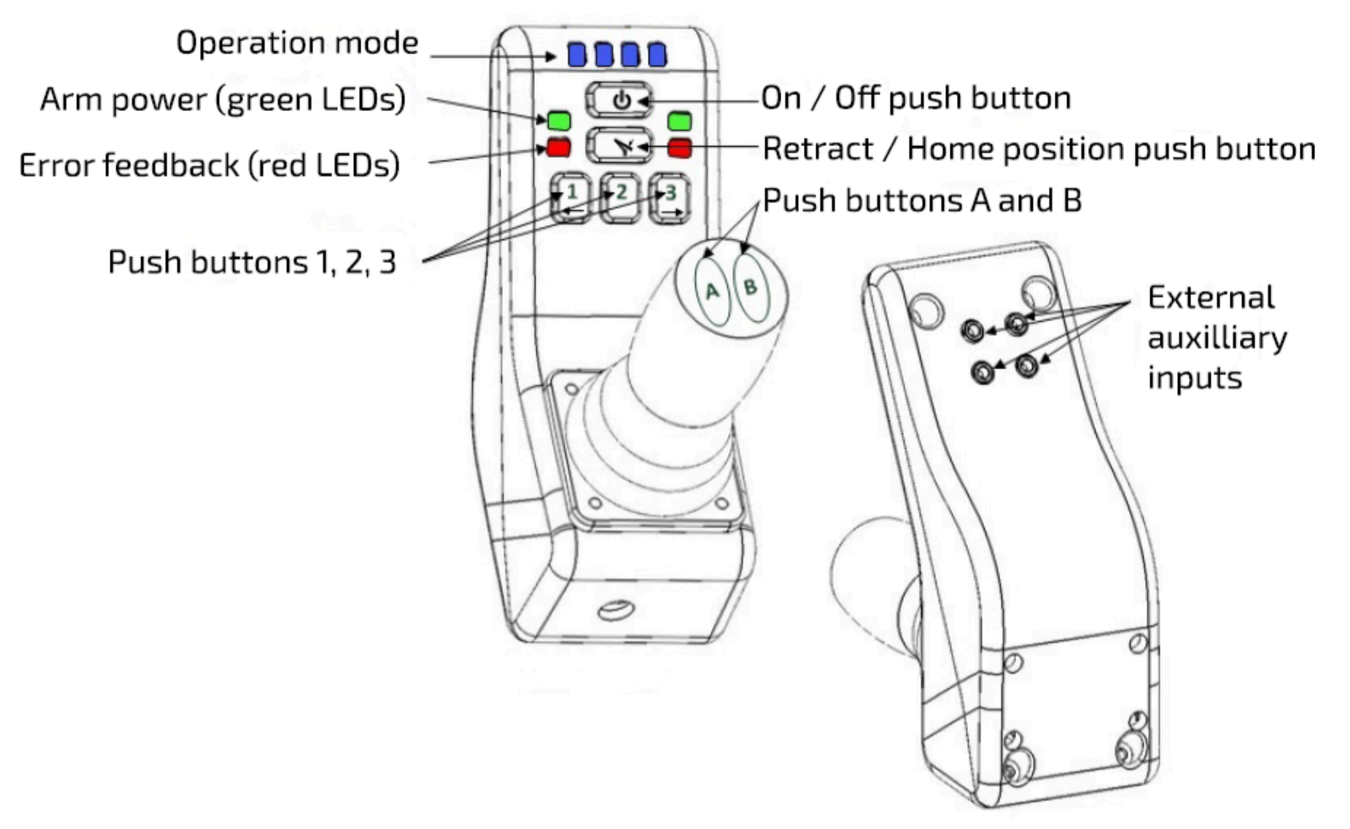
Homing the Kinova Arm
Hold down the retract / home position button. If the arm was not already in its home position, it will move to it. If the arm was already in its home position, it will retract and hover just above the position in which it was in when it was off. If the arm moves to the home position and not the retracted position, hold down the retract / home position button again. The arm should now move to the retracted position.
Powering down the Kinova Arm
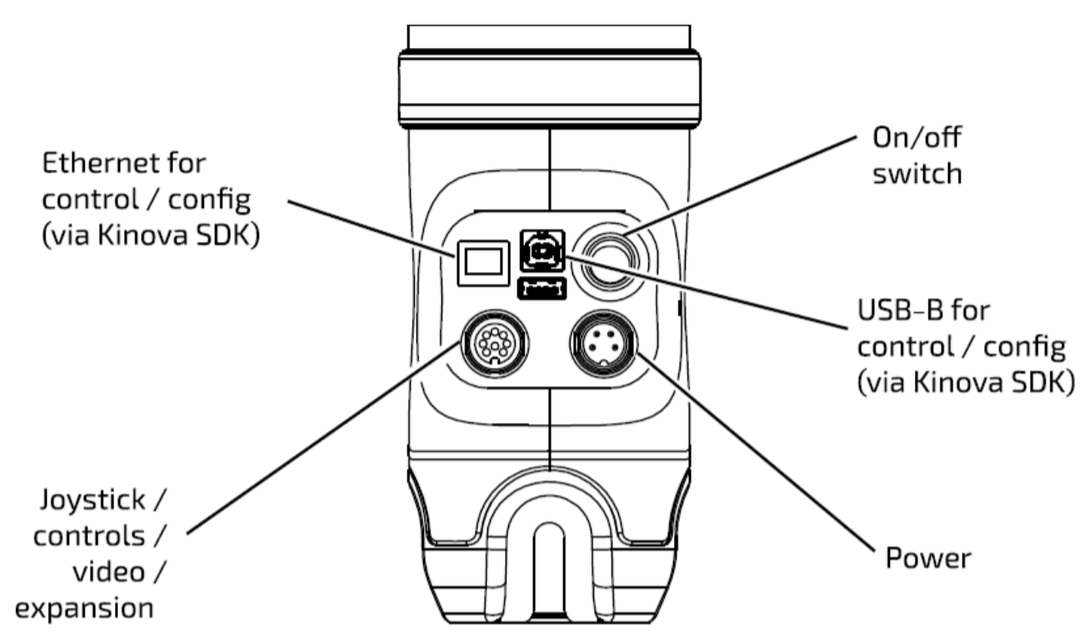
Flip the power switch on the side of the robot. The joints should go limp and the arm should now be resting on itself.
Turning off the Dingo Base
Press the  button on the Dingo HMI panel. The power status light should now be blinking blue. Wait until all lights on the Dingo HMI are off.
Removing and Charging Batteries
Pull the tab on each Dingo battery. It may require some force to pull the battery out. Place the batteries on the chargers and ensure the label is facing forward. It may require some wiggling to get the battery properly on the charger, but it should not require a lot of force. To verify the battery is properly seated in the charger, the light in front of the battery on the charger should be either flashing green (charging) or solid green (charged).